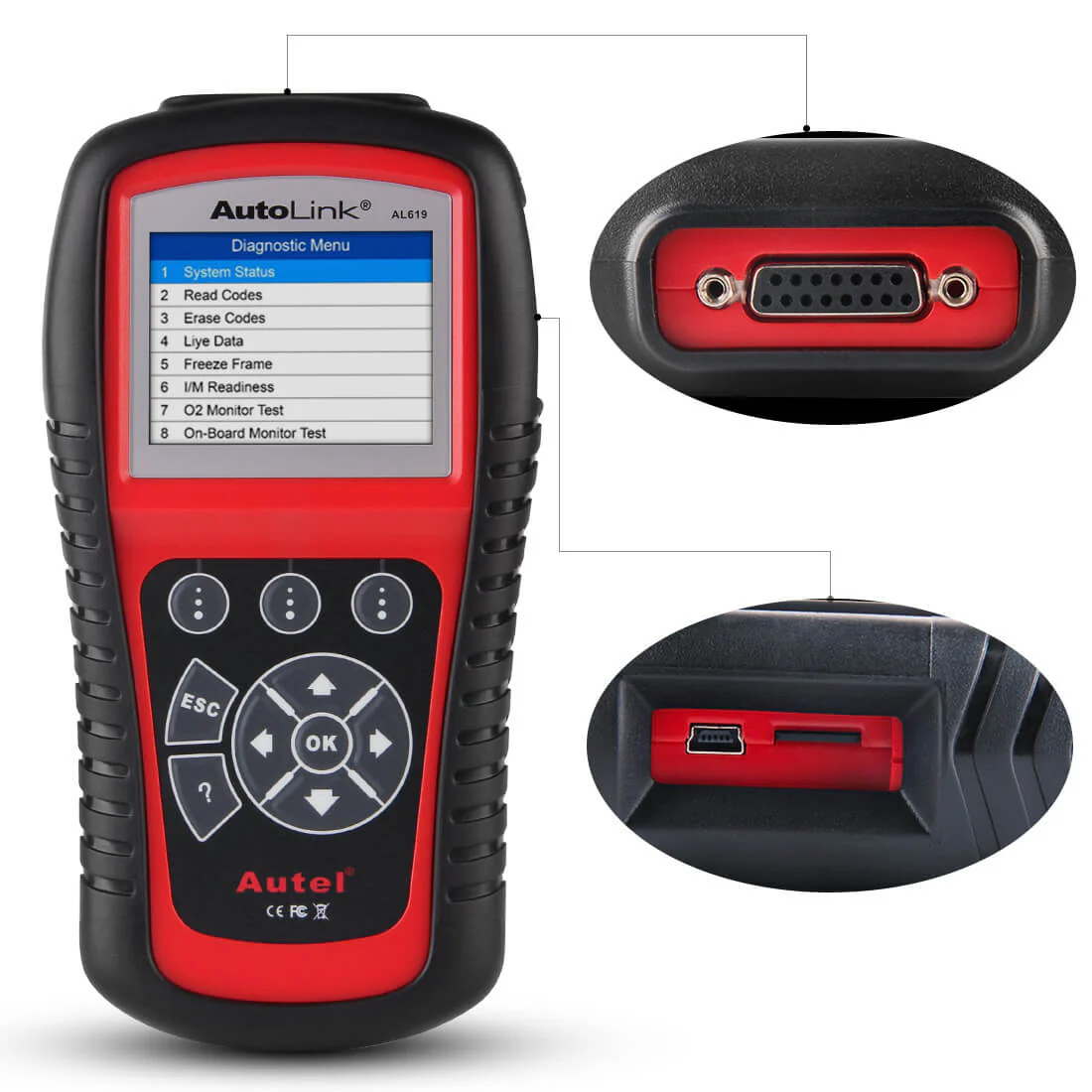
Autel MaxiScan MS300 OBD2 Code Reader/Scanner, Turn Off Engine Light, Read/ Erase Fault Codes, Check Emission Monitor Status
Autel MaxiScan MS300 OBD2 Scanner Code Reader
The MaxiScan MS300 code reader is compatible with various OBDII protocols, such as KWP2000, ISO2000, ISO9141, J1850 VPW, J1850 PWM, and CAN. Despite its compact size, the MS300 can retrieve the same emission-related information as larger and more expensive scanners. It is designed to work with most OBDII compliant vehicles manufactured after 1996, including those equipped with CAN protocols.

Autel MaxiScan MS300 Features:
- Turn Off Check Engine Light
- Read/Erase Engine Fault Codes
- Reset OBDII Monitor Status
- Retrieve I/M Readiness Status
- Review the Emission Readiness Status of OBDII Monitors
- Retrieve VIN(Vehicle Identification Number) on 2002 and Newer Vehicles, Supporting Mode 9
Turn off Check Engine Light
The Autel MaxiScan MS300 OBD2 scanner allows you to access the PCM module of OBD2 compliant vehicles. It enables you to read and clear diagnostic trouble codes (DTCs), ensuring that your engine is in good condition. Additionally, it can turn off the Check Engine Light once proper repairs have been performed based on the DTC displayed on the backlit screen.

Read/Clear Codes & Retrieve VIN Number
Read, Clear Diagnostic Trouble Codes (DTC)
The Autel MaxiScan MS300 OBD2 Scanner Code Reader is capable of reading and retrieving trouble codes, including generic codes, pending codes, and manufacturer-specific codes. It is compatible with most domestic vehicles (sedans, SUVs, and light trucks) manufactured after 1996, as well as European vehicles manufactured after 2002 and Asian vehicles.
Locked in "Linking" Troubleshooting
Follow the correct order:
- Step 1. Engine off
- Step 2. Plug it in
- Step 3. Turn ignition on
"No menu other than read and clear codes" Troubleshooting
After reading codes, it will display the codes or "DTC 00, I/M YES" on the screen. Then it will switch to Menu:
- 1. DTC automatically. Hit "Scroll" button to scroll down the menu. You shall find 2.ERASE, 3. I/M, 4. VIN, 5. RESCAN. If you have issue finding the menu, please let us know directly.

Smog Check
The MS300 Check Engine Code Reader retrieves I/M readiness status to help pass annual smog check.
Comprehensive Vehicle Coverage
The Autel MaxiScan MS300 OBD2 Scanner Code Reader is compatible with all sedans, SUVs, and light trucks manufactured in 1996 and newer, as long as they are OBDII compliant. It supports all OBD2 protocols, including CAN, VPW, PWM, ISO, and KWP 2000 protocols.
Note: MS300 Code Reader does NOT support JOBD, KOBD or any other protocols that are not OBDII.

Easy to Use
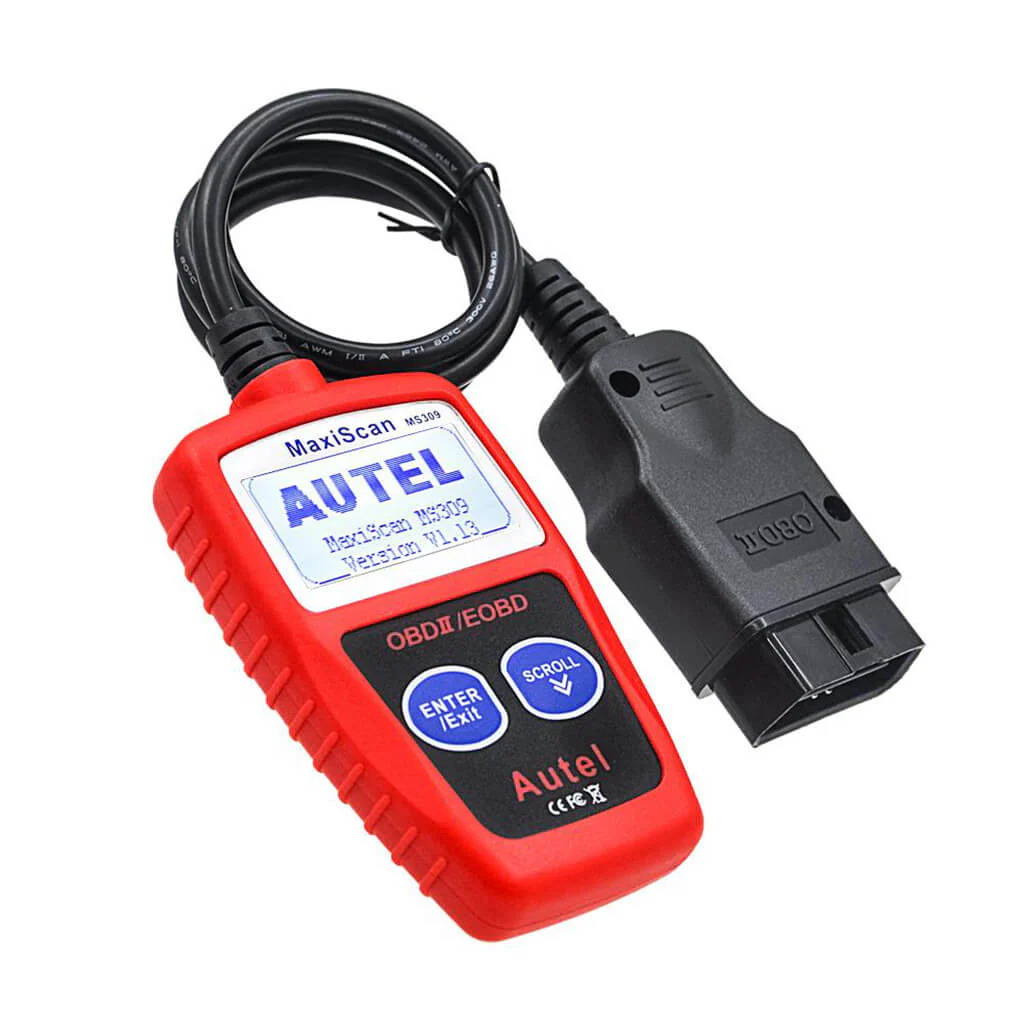
The MS300 OBD2 scanner features a user-friendly design with two buttons and a backlit 2-line LCD display. It is equipped with an integrated 16-pin OBDII plug for easy connection. To ensure correct usage, please follow the steps below:
- 1. Turn engine off
- 2. Plug it into the DLC port of the vehicle.
- 3. Turn ignition on
- 4. Use the "enter" button to confirm and escape and the "scroll" button to scroll.

Safe & Durable
The MS300 OBD2 scanner is designed to communicate with your vehicle in a reliable and secure manner. It is built with a durable cable that ensures a strong and stable connection. Despite its small size, the scanner is built to last and withstand regular use.

Autel MaxiScan MS300 Specifications
| Display | Backlit LCD, 2 lines, 8 characters each |
| Operating Temp | 0 to 50 ℃ (32 to 122 ℉) |
| Storage Temp | -20 to 70 ℃ (-4 to 158 ℉) |
| Power | DC12V provided via the vehicle battery |
| Dimensions (LxWxH) | 113 mm (4.4") x 74 mm (2.9") x 21 mm (0.83") |
| Weight | 250 g (0.55 lb.) |
Packing List:
- 1x MaxiScan MS300 Main Unit
- 1x 16 PIN Standard OBD2 Cable
MS300 Product guides and documents
MS300 User Manual (PDF)Certificate
www.diagmart.com is Autel Authorized Online Agent. Products Created by Autel ® Innovation & Quality You Can Trust.

Autel MaxiScan MS300 OBD2 Scanner Code Reader
The MaxiScan MS300 code reader is compatible with various OBDII protocols, such as KWP2000, ISO2000, ISO9141, J1850 VPW, J1850 PWM, and CAN. Despite its compact size, the MS300 can retrieve the same emission-related information as larger and more expensive scanners. It is designed to work with most OBDII compliant vehicles manufactured after 1996, including those equipped with CAN protocols.
Autel MaxiScan MS300 Features:
- Turn Off Check Engine Light
- Read/Erase Engine Fault Codes
- Reset OBDII Monitor Status
- Retrieve I/M Readiness Status
- Review the Emission Readiness Status of OBDII Monitors
- Retrieve VIN(Vehicle Identification Number) on 2002 and Newer Vehicles, Supporting Mode 9
Turn off Check Engine Light
The Autel MaxiScan MS300 OBD2 scanner allows you to access the PCM module of OBD2 compliant vehicles. It enables you to read and clear diagnostic trouble codes (DTCs), ensuring that your engine is in good condition. Additionally, it can turn off the Check Engine Light once proper repairs have been performed based on the DTC displayed on the backlit screen.
Read/Clear Codes & Retrieve VIN Number
Read, Clear Diagnostic Trouble Codes (DTC)
The Autel MaxiScan MS300 OBD2 Scanner Code Reader is capable of reading and retrieving trouble codes, including generic codes, pending codes, and manufacturer-specific codes. It is compatible with most domestic vehicles (sedans, SUVs, and light trucks) manufactured after 1996, as well as European vehicles manufactured after 2002 and Asian vehicles.
Locked in "Linking" Troubleshooting
Follow the correct order:
- Step 1. Engine off
- Step 2. Plug it in
- Step 3. Turn ignition on
"No menu other than read and clear codes" Troubleshooting
After reading codes, it will display the codes or "DTC 00, I/M YES" on the screen. Then it will switch to Menu:
- 1. DTC automatically. Hit "Scroll" button to scroll down the menu. You shall find 2.ERASE, 3. I/M, 4. VIN, 5. RESCAN. If you have issue finding the menu, please let us know directly.
Smog Check
The MS300 Check Engine Code Reader retrieves I/M readiness status to help pass annual smog check.
Comprehensive Vehicle Coverage
The Autel MaxiScan MS300 OBD2 Scanner Code Reader is compatible with all sedans, SUVs, and light trucks manufactured in 1996 and newer, as long as they are OBDII compliant. It supports all OBD2 protocols, including CAN, VPW, PWM, ISO, and KWP 2000 protocols.
Note: MS300 Code Reader does NOT support JOBD, KOBD or any other protocols that are not OBDII.
Easy to Use
The MS300 OBD2 scanner features a user-friendly design with two buttons and a backlit 2-line LCD display. It is equipped with an integrated 16-pin OBDII plug for easy connection. To ensure correct usage, please follow the steps below:
- 1. Turn engine off
- 2. Plug it into the DLC port of the vehicle.
- 3. Turn ignition on
- 4. Use the "enter" button to confirm and escape and the "scroll" button to scroll.
Safe & Durable
The MS300 OBD2 scanner is designed to communicate with your vehicle in a reliable and secure manner. It is built with a durable cable that ensures a strong and stable connection. Despite its small size, the scanner is built to last and withstand regular use.
Autel MaxiScan MS300 Specifications
| Display | Backlit LCD, 2 lines, 8 characters each |
| Operating Temp | 0 to 50 ℃ (32 to 122 ℉) |
| Storage Temp | -20 to 70 ℃ (-4 to 158 ℉) |
| Power | DC12V provided via the vehicle battery |
| Dimensions (LxWxH) | 113 mm (4.4") x 74 mm (2.9") x 21 mm (0.83") |
| Weight | 250 g (0.55 lb.) |
Packing List:
- 1x MaxiScan MS300 Main Unit
- 1x 16 PIN Standard OBD2 Cable
MS300 Product guides and documents
MS300 User Manual (PDF)Certificate
www.diagmart.com is Autel Authorized Online Agent. Products Created by Autel ® Innovation & Quality You Can Trust.
Description
Autel MaxiScan MS300 OBD2 Scanner Code Reader
The MaxiScan MS300 code reader is compatible with various OBDII protocols, such as KWP2000, ISO2000, ISO9141, J1850 VPW, J1850 PWM, and CAN. Despite its compact size, the MS300 can retrieve the same emission-related information as larger and more expensive scanners. It is designed to work with most OBDII compliant vehicles manufactured after 1996, including those equipped with CAN protocols.
Autel MaxiScan MS300 Features:
- Turn Off Check Engine Light
- Read/Erase Engine Fault Codes
- Reset OBDII Monitor Status
- Retrieve I/M Readiness Status
- Review the Emission Readiness Status of OBDII Monitors
- Retrieve VIN(Vehicle Identification Number) on 2002 and Newer Vehicles, Supporting Mode 9
Turn off Check Engine Light
The Autel MaxiScan MS300 OBD2 scanner allows you to access the PCM module of OBD2 compliant vehicles. It enables you to read and clear diagnostic trouble codes (DTCs), ensuring that your engine is in good condition. Additionally, it can turn off the Check Engine Light once proper repairs have been performed based on the DTC displayed on the backlit screen.
Read/Clear Codes & Retrieve VIN Number
Read, Clear Diagnostic Trouble Codes (DTC)
The Autel MaxiScan MS300 OBD2 Scanner Code Reader is capable of reading and retrieving trouble codes, including generic codes, pending codes, and manufacturer-specific codes. It is compatible with most domestic vehicles (sedans, SUVs, and light trucks) manufactured after 1996, as well as European vehicles manufactured after 2002 and Asian vehicles.
Locked in "Linking" Troubleshooting
Follow the correct order:
- Step 1. Engine off
- Step 2. Plug it in
- Step 3. Turn ignition on
"No menu other than read and clear codes" Troubleshooting
After reading codes, it will display the codes or "DTC 00, I/M YES" on the screen. Then it will switch to Menu:
- 1. DTC automatically. Hit "Scroll" button to scroll down the menu. You shall find 2.ERASE, 3. I/M, 4. VIN, 5. RESCAN. If you have issue finding the menu, please let us know directly.
Smog Check
The MS300 Check Engine Code Reader retrieves I/M readiness status to help pass annual smog check.
Comprehensive Vehicle Coverage
The Autel MaxiScan MS300 OBD2 Scanner Code Reader is compatible with all sedans, SUVs, and light trucks manufactured in 1996 and newer, as long as they are OBDII compliant. It supports all OBD2 protocols, including CAN, VPW, PWM, ISO, and KWP 2000 protocols.
Note: MS300 Code Reader does NOT support JOBD, KOBD or any other protocols that are not OBDII.
Easy to Use
The MS300 OBD2 scanner features a user-friendly design with two buttons and a backlit 2-line LCD display. It is equipped with an integrated 16-pin OBDII plug for easy connection. To ensure correct usage, please follow the steps below:
- 1. Turn engine off
- 2. Plug it into the DLC port of the vehicle.
- 3. Turn ignition on
- 4. Use the "enter" button to confirm and escape and the "scroll" button to scroll.
Safe & Durable
The MS300 OBD2 scanner is designed to communicate with your vehicle in a reliable and secure manner. It is built with a durable cable that ensures a strong and stable connection. Despite its small size, the scanner is built to last and withstand regular use.
Autel MaxiScan MS300 Specifications
| Display | Backlit LCD, 2 lines, 8 characters each |
| Operating Temp | 0 to 50 ℃ (32 to 122 ℉) |
| Storage Temp | -20 to 70 ℃ (-4 to 158 ℉) |
| Power | DC12V provided via the vehicle battery |
| Dimensions (LxWxH) | 113 mm (4.4") x 74 mm (2.9") x 21 mm (0.83") |
| Weight | 250 g (0.55 lb.) |
Packing List:
- 1x MaxiScan MS300 Main Unit
- 1x 16 PIN Standard OBD2 Cable
MS300 Product guides and documents
MS300 User Manual (PDF)Certificate
www.diagmart.com is Autel Authorized Online Agent. Products Created by Autel ® Innovation & Quality You Can Trust.